Create a block in your chain
If you've created a chain and created an API key for it, you can start filling your chain with blocks of data.
The first thing you'll need is the API key character string, that has write permissions for your chain. You can find this string by copying it from the API key overview.
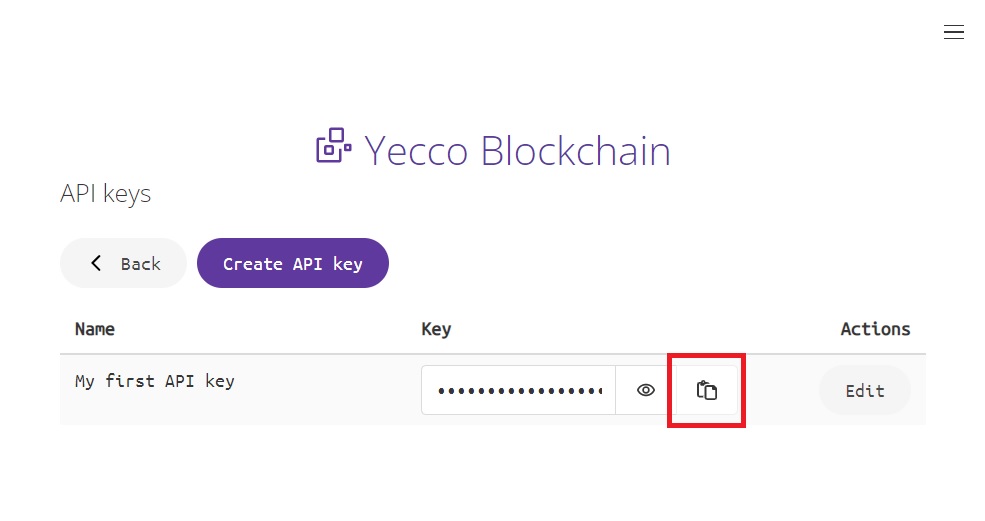
Next run the following curl command from your terminal or any of your prefered http client. Make sure you replace the ID of your chain and the API key in the command. Finally you'll want the body of the request to contain the JSON object you want to store as a block into your chain. There's a Node.js with Axios example and for other languages I'd recommend copy-pasting the curl command into this nifty tool.
curl -X 'POST' \
  'http://app.yeccoblockchain.com/api/v1/chains/<your chain ID goes here>/blocks' \
  -H 'accept: application/json' \
  -H 'Authorization: Bearer <your API key goes here>' \
  -H 'Content-Type: application/json' \
  -d '{
        "payload": "anything can be in here"
      }'
The result will be an HTTP 200 response, with in the body the resulting block, which in this case may look like this:
{
  "hash": "000f4896caa0275ca907a2aee17c99ee7d6fd10511dc6d3350b2a3374021fcca",
  "timestamp": 1676822996400,
  "nonce": 2879,
  "previousHash": "0002eb6a83e4384fea65d732c64b41ed54ea6323fbf35409fe73320e28400912",
  "body": {
    "payload": "anything can be in here"
  }
}
The same command, but in Node.js using Axios
const axios = require('axios');

const response = await axios.post(
    'http://app.yeccoblockchain.com/api/v1/chains/<your chain ID goes here>/blocks',
    {
        'payload': 'anything can be in here'
    },
    {
        headers: {
            'accept': 'application/json',
            'Authorization': 'Bearer <your API key goes here>',
            'Content-Type': 'application/json'
        }
    }
);